





Printers may not get as much attention as laptops or smartphones, but printers are vital to students, workers, small enterprises, and even personal offices. A dependable printer is still an essential component of contemporary comfort, whether you're printing out coursework, client contracts, shipping labels, or your child's homework.
However, purchasing a brand-new printer may rapidly get pricey, particularly if you want colour capabilities, high-speed printing, scanning, and copying. And that’s when purchasing a refurbished printer starts looking like a good idea. There’s much that a refurbished printer can offer without having to sacrifice quality or functionality, provided that you’re aware of what to check out.
In this article, we’re going to give you all the information necessary to make an informed purchase of a refurbished printer, starting from printing quality and page yield to compatibility and warranties.
What to Consider When Purchasing a Refurbished Printer – Detailed Guide
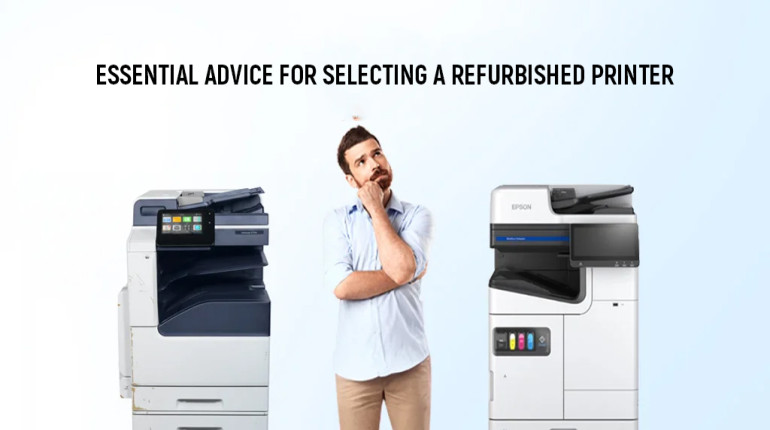
When choosing a refurbished printer, you should pay more attention than just looking at the price. The list below includes important factors to keep in mind when selecting a refurbished printer.
Know the Type: Inkjet vs Laser – Which One’s Right for You?
The first step is to decide between an inkjet and a laser printer.
Refurbished Inkjet Printers
These employ the spraying of liquid ink directly on paper. Inkjet printers are ideal for use in cases where:
- There will be colourful prints, which will include photos, assignments, and presentations.
- The printing requirements are not numerous; fewer than five hundred pages are printed per month.
Inkjet printers would be appropriate for households, students, and creative printing since they tend to be more compact and affordable. The downside is that the ink cartridges used by the printer can become quite costly.
Refurbished Laser Printers
The laser printer uses toner powder along with heat to create text or images. The laser printer is known for:
- Being able to produce black and white text at a high speed and accurately.
- Lower cost per page, especially for mono printing.
Laser models are highly efficient for offices and small businesses. Refurbished laser printers tend to be bulkier, but their long-term operating cost is often lower than that of inkjets.
A refurbished Canon colour laser model (Refurbished Canon i-SENSYS LBP631Cw Colour Laser Printer) or a Kyocera Colour LaserJet All-in-One are good options if you need an office-grade printer with colour capability.
Print Quality & Page Yield – Don’t Settle for Smudges
Print quality is non-negotiable. Always review:
Print resolution, listed in DPI (dots per inch). A standard range of 600–1200 DPI is suitable for documents, while photo printing benefits from 2400+ DPI.
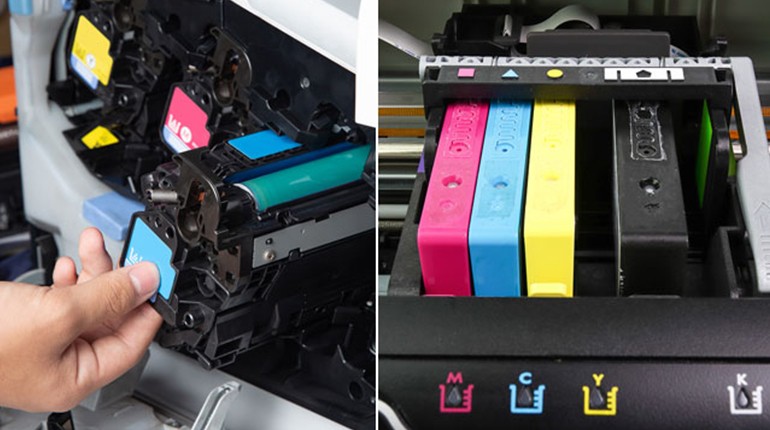
If testing for alignment, ink flow, and ink clogs (inkjet printer) or toner distribution and fuser function (laser printer) has been done on the refurbished printer.
Page Yield
This refers to how many pages you can print before needing a refill. A high page yield:
- Reduces running costs
- Prevents mid-assignment cartridge changes
- Ensures smoother productivity for high-volume environments
If you're printing large reports, look for a refurbished laser model with 1,000+ page yield per toner cartridge.
Condition & Grading – Know What You’re Paying For
Not all refurbished printers are in the same condition. At SOS, you’ll always see clear grading, so you can match the printer’s appearance and wear level to your budget.
New Open Box
Unused item, only opened or repackaged. Pristine condition, typically with all original accessories.
Refurbished – Excellent
Minimal to no cosmetic marks. Fully tested and certified. Ideal for professional users or offices.
Refurbished – Very Good
Some surface marks or casing scratches. 100% functional. Suitable for home or school use.
Refurbished – Excellent Choice
Some wear on the exterior, but fully operational nonetheless. Ideal for backup or secondary printing purposes.
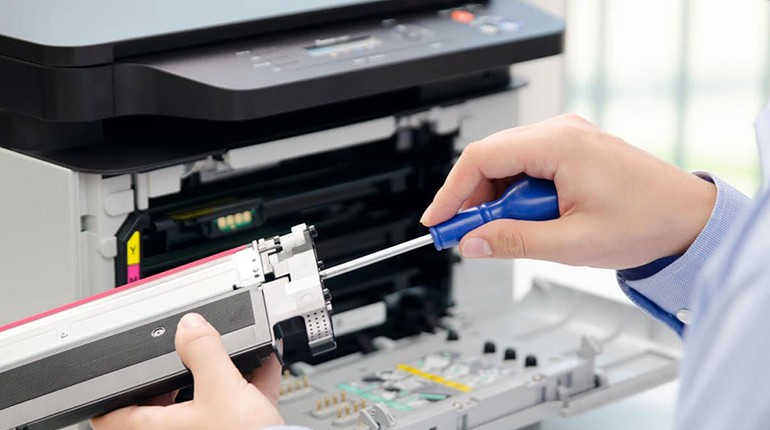
Remember to ensure that the print heads, rollers, and feeders have been checked, calibrated, and cleaned.
Ink and Toner Compatibility – Preventing Expensive Mistakes
A high-quality refurbished printer may become quite costly if its ink/toner is hard to come by or overvalued.
When making your decision, remember:
- Models of ink cartridges: Ensure that you can get the necessary replacements easily.
- Compatibility with other cartridges: Not all printers will use non-brand ink.
- Included cartridges: Starter or partial-capacity cartridges are frequently included with remanufactured printers. Understand what's included.
For example, a Kyocera All-in-One model that uses Kyocera 4053 cartridges will be easier and cheaper to maintain than a discontinued unit requiring out-of-stock toner.
Connectivity Options – Wired vs Wireless?
A modern printer should adapt to your work environment, whether that’s a home study or a hybrid office.
Search for:
- Wireless connectivity for printing directly from devices like computers, phones, and tablets.
- Compatibility with Bluetooth technology.
- Apple AirPrint, Google Cloud Print (if supported), and Mopria certification for app-based printing.
- USB 2.0 or 3.0 ports for older desktop setups.
If you're connecting the printer to a network of shared office equipment, you'll need Ethernet ports.
Warranty & After-Sales Services – Get Covered for Your Purchase
Whether you buy a refurbished printer, it should always be covered by some kind of after-sales protection.
SOS offers:
- Guarantee on refurbished printer – 6 to 12 months
- Product testing and quality assurance
- Customer support from the UAE
- Return/exchange facility for a defective product
Enjoy the peace of mind along with savings on buying a refurbished printer.
Print Speed & Duty Cycle – Keep Up with Your Workload
Speed and durability are crucial when printing large quantities on a daily basis.
Key Metrics:
- Print speed (PPM): Pages per minute. Inkjets average 10–15 ppm (colour), while lasers offer 20–35+ ppm.
- Duty cycle: The maximum number of prints a printer can handle monthly. Purchase a printer that is rated higher than what you typically need each month.
For instance, a printer with a 2,000–5,000 duty cycle will last longer if you print 1,000 pages every month.
Seller Reputation – Only Purchase from Verified Retailers
Never buy anything from any unauthentic or unauthorised sellers. Always choose from those who:
- Offer complete technical specifications of printer grades
- Provide you with direct access to their customer service and warranty
- Have an easy-to-understand return and refund policy
SOS is an authorised seller for refurbished products. All the printers will be tested, reprogrammed, cleaned, and checked for performance.
Conclusion: Printing Better Using the Right Refurbished Printer
Purchasing a refurbished printer becomes a way not only to save some money but also to make a choice that ensures maximum efficiency, reduced costs, and environmental sustainability. Regardless of whether you require a compact inkjet printer for limited home use or a quality laser printer boasting impressive efficiency and printing speed, or even an all-in-one printer offering scanning and copying capabilities, a refurbished printer will satisfy your expectations.
It goes without saying that choosing the right printer presupposes paying attention to printer types, print quality, pages yielded, printer condition, connectivity options, and warranty terms. No less significant is the choice of the proper reseller.
Being one of the companies included in the SOS family, we make sure all refurbished printers have been thoroughly tested and rated. In addition, we guarantee an affordable price and warranty support for all our products. Some of the best models available include printers by Kyocera, Konica Minolta, Sharp, Canon, and many more. We sell wireless printers, Canon colour printers, and Kyocera all-in-one printers. Visit us online and enjoy fast shipping in the UAE.
Check all printers in SOS’s Refurbished Printers collection.